GitNexus: What Is It, How It Works & MCP Codebase Setup Guide
GitNexus: what is it and how does it work? Explore how GitNexus indexes codebases with KùzuDB and MCP to prevent AI agents from breaking refactors.

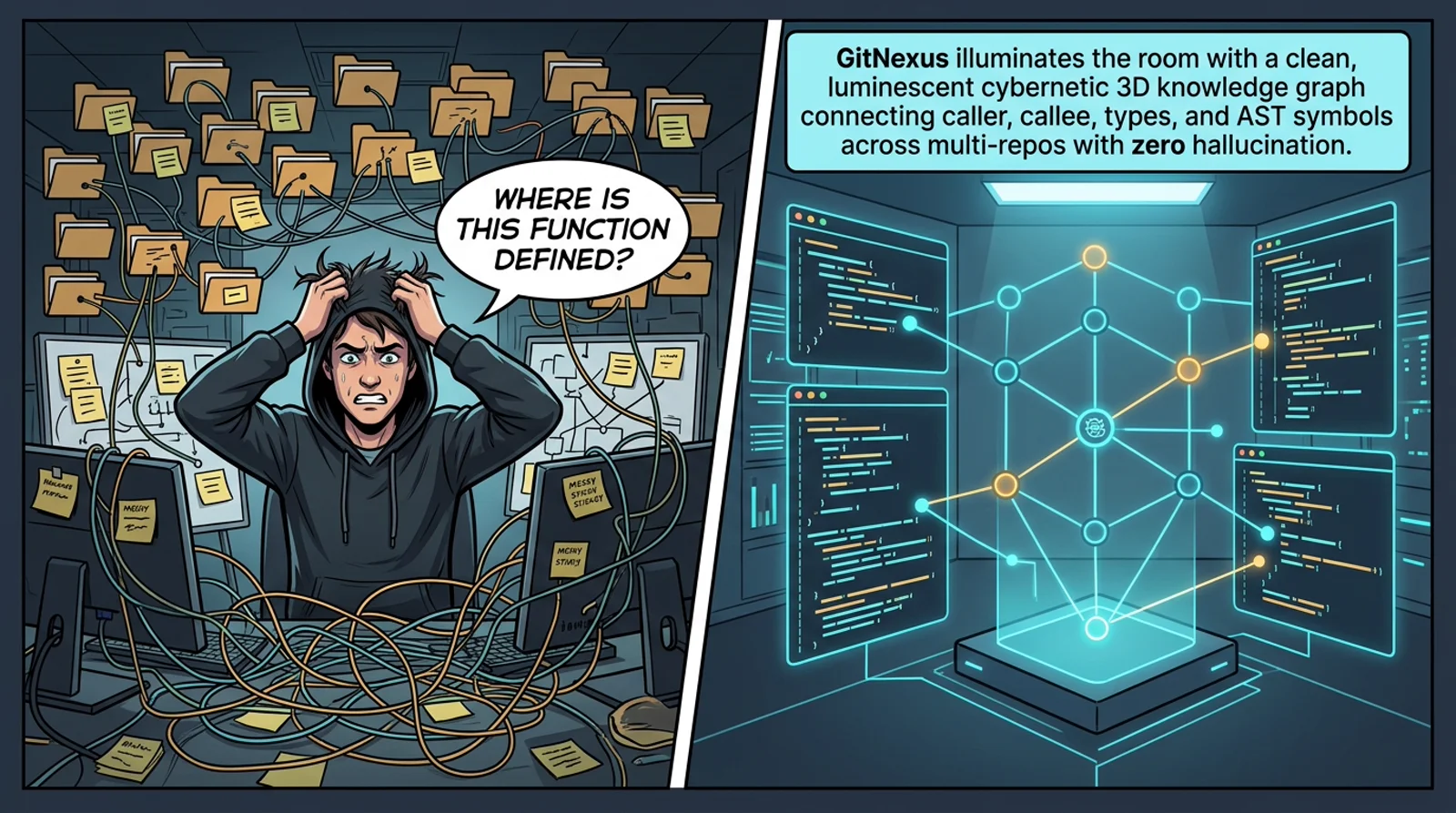
TL;DR
Quick Answer Box (Google Search Featured Snippet):
- GitNexus: What is it? GitNexus is an open-source tool that indexes an entire codebase into an embedded KùzuDB graph database and exposes it via the Model Context Protocol (MCP), enabling AI coding assistants (Cursor, Claude Code, Windsurf) to query code relationships deterministically.
- What problem does GitNexus solve? Eliminates blind refactoring: precomputes blast radius, call chains, and multi-file execution flows so AI models never inadvertently break dependent code across files they never opened.
- Quick Start: Install via npm
npm install -g gitnexus, rungitnexus analyze, and register the MCP server in your AI editor config.- Official Repository: abhigyanpatwari/GitNexus on GitHub.
GitNexus indexes your codebase into a queryable knowledge graph and exposes it to AI agents through MCP - so refactors stop breaking code the model never opened.
What Is GitNexus?
GitNexus is an open-source codebase intelligence engine that transforms source code repositories into an embedded graph database using KùzuDB. By indexing symbols, functions, dependencies, and execution flows into a persistent graph structure and exposing them over the Model Context Protocol (MCP), GitNexus enables AI coding agents (such as Cursor, Claude Code, and Windsurf) to query caller-callee chains and evaluate blast radiuses before modifying code.
Instead of forcing language models to read hundreds of raw files or hallucinate imports through naive vector search, GitNexus precomputes graph intelligence so agents navigate complex multi-file relationships with zero guesswork.
GitNexus is an MCP tool that helps AI agents understand your codebase structure, not just individual files. It also ships a graph-based visualizer when you want to explore without an editor.
- What it solves: Builds a knowledge graph of your codebase and exposes it through MCP tools so AI agents understand the impact of each change
- Why it matters: Without it, AI refactors code that looks good in isolation but accidentally breaks 47 dependent functions it never sees
- Best for: Developers using Cursor, Claude Code, Windsurf, or any AI coding assistant
- Key differentiator: Precomputes graph intelligence (clustering, execution flow, blast radius) instead of hoping the LLM explores enough
Beginner Map
Do not read GitNexus as seven disconnected MCP tools. Read it as one path: index once into KuzuDB, query many times through MCP.
- Pass 1: Part 1 - the blind-refactor failure mode (
UserService.validate()). - Pass 2: Part 2 - watch the five-beat scene; memorize
analyze → KuzuDB → MCP. - Pass 3: Part 3 - tools in the order they matter (
impactfirst, thencontext,query, …). - Pass 4: Part 4 - run the smoke test below on a repo you actually edit.
| Term | Question it answers |
|---|---|
| KuzuDB | Where does the indexed graph live? |
analyze |
How do I build the graph from my repo? |
| MCP | How does my editor’s agent reach that graph? |
impact |
What will break if I change this symbol? |
| Processes | Which execution flows (e.g. LoginFlow) touch this code? |
gitnexus serve |
How do CLI index and Web UI share one graph? |
Student First Assignment
After Part 4’s npx gitnexus analyze and npx gitnexus setup, open Cursor or Claude Code and ask:
“Before refactoring UserService, use GitNexus impact to list upstream dependents with confidence scores.”
If the agent returns a structured blast-radius map instead of grepping filenames, beat 3 in the Part 2 scene just became real - and the rest of the article is detail on arrows you already watched animate.
Stretch goal: after editing a file, ask the agent to run detect_changes before you commit. That closes the loop from beat 3’s impact to Part 3’s pre-commit safety net.
Part 1: Foundations - The Mental Model
Imagine you’re a surgeon about to operate. You have an X-ray that shows the bone, but you can’t see the nerves, blood vessels, or how they connect. You make a cut - and hit an artery nobody mentioned.
That’s exactly what happens when AI agents edit code today.
Tools like Cursor, Claude Code, Windsurf, and Cline are incredibly powerful code editors. But they share a fundamental blind spot: they don’t truly understand the structure of your codebase. They see files, they see functions, but they don’t see the invisible web of dependencies connecting everything together.
Here’s the typical failure pattern:
- You ask the AI to refactor
UserService.validate() - The AI edits it perfectly in isolation
- It doesn’t know 47 functions depend on its return type
- Breaking changes ship to production
GitNexus solves this by building a complete knowledge graph of your codebase - every function call, import, class inheritance, and execution flow - then exposing it through smart tools via the Model Context Protocol (MCP).
Think of it this way:
Without GitNexus: Your AI agent navigates your codebase like a tourist with a map of street names.
With GitNexus: Your AI agent navigates like a local who knows every shortcut, every dead-end, and every one-way street.
That metaphor names the gap - but it is still abstract. Part 2 turns it into a concrete path: from the blind refactor in beat 1, through npx gitnexus analyze building a graph in KuzuDB, to your agent calling impact() before it touches UserService.
Part 2: The Investigation - How GitNexus Builds Its Brain
Part 1 named the blind spot. Part 2 shows how GitNexus closes it.
At a high level, GitNexus does three things in order:
- Index - walk your repo through a six-stage pipeline and persist a knowledge graph in KuzuDB
- Expose - serve that graph to your editor through MCP tools (
impact,context,query, …) - Deliver - run the same brain locally (CLI), in-browser (Web UI), or bridged between both with
gitnexus serve
A README bullet list hides that sequence. Before we open each pipeline stage, MCP tool, and setup command in detail, watch how GitNexus transforms blind AI refactoring into precision AST execution in three beats:
- Multi-Stage AST Indexing -
gitnexus analyzeparses the codebase with Tree-sitter into KùzuDB - Precision MCP Graph Query - AI agents query blast radius and callers in sub-milliseconds
- Safe Production Refactor - Update symbols across the entire repository with zero hallucination

The spine to remember is analyze → KùzuDB → MCP → agent tools. The indexer extracts the graph once; during coding, the agent queries precomputed structure instead of guessing from file names alone.
| Architecture Phase | How It Operates |
|---|---|
| 1. Indexing | Tree-sitter extracts AST, dependencies, and execution flows into KùzuDB |
| 2. Querying | MCP tools (impact, context, query) return blast radius in <10ms |
| 3. Execution | AI agent applies changes across multi-file callers with zero regressions |
The Multi-Phase Indexing Pipeline
Beat 2 in the scene above is this pipeline in motion. When you run npx gitnexus analyze, GitNexus processes your codebase through six stages - the static diagram below is the same path, with stage names spelled out for reference:
┌──────────────┐    ┌──────────────┐    ┌──────────────┐
│  1. Structure │───▶│  2. Parsing   │───▶│ 3. Resolution│
│  File tree +  │    │  Tree-sitter  │    │  Cross-file   │
│  folder map   │    │  AST extract  │    │  imports      │
└──────────────┘    └──────────────┘    └──────────────┘
        │                                        │
        ▼                                        ▼
┌──────────────┐    ┌──────────────┐    ┌──────────────┐
│  6. Search    │◀───│ 5. Processes  │◀───│ 4. Clustering │
│  Hybrid index │    │  Execution    │    │  Community    │
│  BM25+Vector  │    │  flow tracing │    │  detection    │
└──────────────┘    └──────────────┘    └──────────────┘
Stage 1 - Structure: Maps the file tree and folder relationships. This is the skeleton.
Stage 2 - Parsing: Uses Tree-sitter to extract every function, class, method, and interface from 11 languages: TypeScript, JavaScript, Python, Java, C, C++, C#, Go, Rust, PHP, and Swift.
Stage 3 - Resolution: The magic happens here. GitNexus resolves imports and function calls across files with language-aware logic. It doesn’t just know that auth.ts exists - it knows that handleLogin() in auth.ts calls validate() in user.ts with 90% confidence.
Stage 4 - Clustering: Groups related symbols into functional communities using graph algorithms via Graphology. Your auth functions, database layer, and API routes naturally cluster together.
Stage 5 - Processes: Traces execution flows from entry points through entire call chains. It maps out “LoginFlow” as a 7-step process from route handler → validation → database → response.
Stage 6 - Search: Builds hybrid search indexes combining BM25 (keyword), semantic embeddings (via HuggingFace transformers.js), and Reciprocal Rank Fusion for fast retrieval.
Each animated node in beat 2 maps directly to a stage:
| Scene node (beat 2) | Stage | One-line job |
|---|---|---|
| Structure | 1 | File tree and folder relationships |
| Parsing | 2 | Tree-sitter AST extraction |
| Resolution | 3 | Cross-file imports and call links |
| Clustering | 4 | Functional communities via Graphology |
| Processes | 5 | Execution flows (e.g. LoginFlow) |
| Search | 6 | BM25 + embeddings + RRF hybrid index |
| KuzuDB | - | Persisted graph all tools read from |
The Core Innovation: Precomputed Intelligence
That is why beat 3 in the scene feels instant: the heavy work already happened at index time.
Traditional Graph RAG approaches dump raw graph edges on the LLM and hope it explores enough. GitNexus precomputes at index time - clustering, tracing, confidence scoring - so every tool call returns complete context in a single query.
| Typical Graph RAG | GitNexus | |
|---|---|---|
| When work happens | Mostly at query time (LLM explores) | Mostly at index time (pipeline + KuzuDB) |
| What the agent receives | Raw edges; completeness depends on exploration | Curated bundles via MCP tools |
| Blast radius | May require many follow-up queries | impact returns depth + confidence in one call |
| Best for | Open-ended research chat | Refactors, renames, and pre-commit safety |
This means:
- LLMs can’t miss context - it’s already in the tool response
- Token efficiency - no 10-query chains to understand one function
- Model democratization - smaller LLMs work because tools do the heavy lifting
The Tech Stack
GitNexus runs in two modes, each with the appropriate tech:
| Layer | CLI (Local) | Web (Browser) |
|---|---|---|
| Parsing | Tree-sitter native | Tree-sitter WASM |
| Database | KuzuDB native | KuzuDB WASM |
| Embeddings | transformers.js (GPU/CPU) | transformers.js (WebGPU/WASM) |
| Agent Interface | MCP (stdio) | LangChain ReAct agent |
| Visualization | - | Sigma.js + Graphology (WebGL) |
Everything is stored in KuzuDB, an embedded graph database with vector support - no external database server needed. That single store is what CLI, Web UI, and MCP all read from in beats 3-4 of the scene.
The table above is beat 4’s split in static form: native stack on the CLI path, WASM stack in the browser, same graph shape either way.
Part 3: The Diagnosis - What GitNexus Actually Does for Developers
Part 2 left you with a graph in KuzuDB. Part 3 is beat 3 in action: what your agent actually does with that graph once MCP is connected.
The scene showed three calls - impact, context, and query. GitNexus ships seven MCP tools in total. Use this cheat sheet first, then scroll for sample output from each tool.
| Tool | Ask when… | Shown in scene? |
|---|---|---|
impact |
You need blast radius before editing a symbol | beat 3 |
context |
You need callers, callees, and process membership | beat 3 |
query |
You need process-grouped search, not raw grep | beat 3 |
detect_changes |
You want pre-commit risk on your diff | - |
rename |
You need graph-aware multi-file rename | - |
cypher |
You want raw graph queries (power users) | - |
list_repos |
You juggle multiple indexed repositories | - |
Recommended agent workflow (matches beat 3’s call order):
impact- before editing: what breaks upstream?context- on the symbol you are about to touch: callers, callees, processes- Edit - let the agent refactor with graph-backed context
detect_changes- before commit: risk level and affected processesrename- when the change is a coordinated symbol rename, not a one-line tweak
Tools not in the scene (detect_changes, rename, cypher, list_repos) still read the same KuzuDB graph beat 2 built - they are optional surfaces on the same spine.
7 Tools That Give AI Agents X-Ray Vision
1. impact - Blast Radius Analysis
Before you touch any code, ask: “What will break?”
impact({target: "UserService", direction: "upstream", minConfidence: 0.8})

TARGET: Class UserService (src/services/user.ts)

UPSTREAM (what depends on this):
  Depth 1 (WILL BREAK):
    handleLogin [CALLS 90%] -> src/api/auth.ts:45
    handleRegister [CALLS 90%] -> src/api/auth.ts:78
    UserController [CALLS 85%] -> src/controllers/user.ts:12
  Depth 2 (LIKELY AFFECTED):
    authRouter [IMPORTS] -> src/routes/auth.ts
This is like having a senior engineer who’s memorized the entire codebase saying: “If you change UserService, these 4 things WILL break, and these 2 things MIGHT break.”
2. context - 360° Symbol View
Get the complete picture of any symbol - who calls it, what it calls, and which processes it participates in:
context({name: "validateUser"})

incoming:
  calls: [handleLogin, handleRegister, UserController]
  imports: [authRouter]

outgoing:
  calls: [checkPassword, createSession]

processes:
  - name: LoginFlow (step 2/7)
  - name: RegistrationFlow (step 3/5)
3. query - Process-Grouped Search
Not just “find files containing X”, but “find the processes and execution flows related to X”:
query({query: "authentication middleware"})

processes:
  - summary: "LoginFlow"
    priority: 0.042
    symbol_count: 4
    process_type: cross_community
    step_count: 7

process_symbols:
  - name: validateUser
    type: Function
    filePath: src/auth/validate.ts
    process_id: proc_login
    step_index: 2
4. detect_changes - Pre-Commit Safety Net
Before you commit, understand the true impact of your changes:
detect_changes({scope: "all"})

summary:
  changed_count: 12
  affected_count: 3
  risk_level: medium

affected_processes: [LoginFlow, RegistrationFlow]
5. rename - Multi-File Coordinated Rename
Not a simple find-and-replace, but a graph-aware rename that understands the difference between a function named validate and a comment containing the word “validate”:
rename({symbol_name: "validateUser", new_name: "verifyUser", dry_run: true})

files_affected: 5
total_edits: 8
graph_edits: 6     (high confidence)
text_search_edits: 2  (review carefully)
6 & 7. cypher and list_repos
Raw Cypher graph queries for power users, and repository discovery for multi-repo setups.
Real-World Use Case: Python Developers
Imagine you’re working on a Django project with 200+ models. You need to rename a model field. Without GitNexus, you’d:
grepfor the field name (picks up comments, strings, unrelated matches)- Manually trace serializers, views, and templates
- Hope you didn’t miss a queryset filter somewhere
With GitNexus: impact({target: "User.email", direction: "upstream"}) → instant complete dependency map. That is the same impact arrow you saw in beat 3 - now with a Django-sized example behind it.
Part 4: The Resolution - Getting Started
You have the mental model (Part 1), the pipeline (Part 2), and the tools (Part 3). Part 4 is beat 4: how to stand up the CLI index, plug MCP into your editor, peek in the browser, or bridge both with gitnexus serve.
| Beat 4 path | Command / URL | What you get |
|---|---|---|
| CLI index | npx gitnexus analyze |
Native KuzuDB on disk + skills/hooks |
| MCP wiring | npx gitnexus setup |
Editor talks to the graph (beat 3) |
| Web explore | gitnexus.vercel.app | WASM KuzuDB in-browser |
| Bridge | gitnexus serve |
Web UI reads CLI indexes without re-upload |
CLI Quick Start (Recommended)
This is the left branch of beat 4 - Dev → Analyze → KuzuDB on the native path:
# Index your repository (run from repo root)
npx gitnexus analyze

# That's it! This does everything:
# - Indexes the codebase
# - Installs agent skills
# - Registers Claude Code hooks
# - Creates AGENTS.md / CLAUDE.md context files
Connect to Your Editor
Once the graph exists, this is how beat 3’s Editor → MCP arrow gets drawn in your machine:
# Auto-configure MCP for all detected editors
npx gitnexus setup

# Or manually for Cursor (~/.cursor/mcp.json):
{
  "mcpServers": {
    "gitnexus": {
      "command": "npx",
      "args": ["-y", "gitnexus@latest", "mcp"]
    }
  }
}
Editor Support Matrix
| Editor | MCP | Skills | Hooks | Support Level |
|---|---|---|---|---|
| Claude Code | ✅ | ✅ | ✅ PreToolUse | Full |
| Cursor | ✅ | ✅ | - | MCP + Skills |
| Windsurf | ✅ | - | - | MCP |
| OpenCode | ✅ | ✅ | - | MCP + Skills |
Web UI (Quick Exploration)
This is the right branch of beat 4 - Dev → WebUI → KuzuDB without installing anything locally:
No installation needed - just visit gitnexus.vercel.app. Upload a repo or paste a GitHub URL. Everything runs in your browser - no code is sent to any server.
Bridge Mode
This is the Analyze ~> WebUI dotted arrow in beat 4 - CLI index once, browse everywhere:
Run gitnexus serve to connect CLI and Web:
# Start local server
gitnexus serve

# Web UI auto-detects it - browse all CLI-indexed repos
# without re-uploading or re-indexing
Wiki Generation
After beat 4, you can turn the indexed graph into human-readable docs - useful for onboarding or PR descriptions:
gitnexus wiki
gitnexus wiki --model gpt-4o
gitnexus wiki --force  # Full regeneration
Think of wiki as exporting beat 5’s mental model into prose your team can skim without opening an editor.
When to Re-Index
The graph is a snapshot. Re-run npx gitnexus analyze when:
- You merge a large refactor or change public APIs across many files
- You add a new language or module tree the index has never seen
- MCP tools return stale paths after a major directory shuffle
Day-to-day edits do not require a full re-index - detect_changes works against your current diff.
Related AI Infrastructure & Coding Agent Architectures
If you are expanding your agentic coding environment, explore these complementary engineering deep dives:
- Massive Collection of System Prompts for Different AI Models: Production prompt reverse-engineering from Cursor, Manus, Windsurf, and Devin with strict lazy diffs.
- Pi Mono Explained: Autonomous AI Coding Agent Architecture: Discover how subagents, memory loops, and local tool execution coordinate complex software refactoring tasks.
- OmniRoute Explained: Free AI Gateway for 290+ Providers: Local traffic control plane with auto-fallback and token compression to power multi-file agent indexing.
- Ego Lite: Open-Source AI Browser Agent with Real Logged-In Sessions: Automate authenticated web navigation directly inside Claude Code and Cursor using your existing browser sessions.
- Strix AI: Open-Source Autonomous Pentesting & Security Agent: Discover how multi-agent teams autonomously scan, exploit, and validate security vulnerabilities in local repositories.
- I Have ADHD Coding Agent Skill: Workflow automation patterns designed to eliminate context loss and decision fatigue.
GitNexus Frequently Asked Questions (FAQ)
1. What is GitNexus and how does it work?
GitNexus is an open-source codebase intelligence engine that parses source code repositories using Tree-sitter, indexes symbols and execution flows into an embedded KùzuDB graph database, and exposes 7 Model Context Protocol (MCP) tools directly to your AI coding agents. Instead of forcing models to guess file dependencies via raw grep or naive embeddings, it provides deterministic queries for caller-callee chains and blast radius calculations.
2. How does GitNexus differ from standard vector search (RAG)?
Standard vector embeddings (RAG) calculate semantic text similarity, which frequently fails on code syntax, subtle type hierarchies, and multi-hop call graphs. GitNexus builds a deterministic knowledge graph of actual AST nodes (functions, classes, interfaces, callers, callees), guaranteeing that the AI agent discovers the exact blast radius of any refactor before writing code.
3. Which AI coding assistants support GitNexus?
GitNexus works with any environment supporting the Model Context Protocol (MCP), including Cursor, Claude Code, Windsurf, OpenCode, and custom agent swarms. It also provides an interactive in-browser Web UI (gitnexus.vercel.app) for zero-install repository exploration.
4. Is GitNexus safe for private enterprise codebases?
Yes, 100% private and local. GitNexus executes all AST parsing, symbol indexing, and KùzuDB queries locally on your development machine. Zero source code or indexing metadata is ever transmitted to external cloud servers or third-party APIs.
The Final Mental Model
Beat 5 in the Part 2 scene is this table as a picture - everything collapsed into one stack. Keep it as a checksum after the details:
| Aspect | Description |
|---|---|
| What it is | A knowledge graph engine that indexes codebases into a queryable graph database |
| Core tech | Tree-sitter (AST) + KuzuDB (graph DB) + HuggingFace (embeddings) |
| Interface | 7 MCP tools for AI agents, CLI for developers, Web UI for exploration |
| Key insight | Precomputed relational intelligence > raw graph traversal |
| Languages | TypeScript, JavaScript, Python, Java, C, C++, C#, Go, Rust, PHP, Swift |
| Privacy | Everything runs locally (CLI) or in-browser (Web). Zero data leaves your machine |
| DeepWiki comparison | DeepWiki helps you understand code. GitNexus lets you analyze it |
Final Take
- Problem: AI agents edit symbols in isolation and miss dependent code they never opened.
- Mechanism: Index once (
analyze→ KuzuDB), query many times (MCP tools with precomputed graph intelligence). - Payoff: Fewer breaking refactors, graph-aware renames, and pre-commit risk checks - without sending your codebase to a cloud indexer.
GitNexus does not replace your AI coding assistant. It gives that assistant a photographic memory of your architecture so beat 1’s red glow never ships to production.
Related posts
What AI DevKit is: a control plane for AI coding agents - and where it stops
An architectural guide to AI DevKit: local-first CLI/TUI console, shared config, SQLite memory, and workflow skills for managing multiple coding agents.
Free Claude Code Explained: One Local Proxy for 50+ AI Providers
Free Claude Code routes Claude Code, Codex, Pi, and eight more agents through one local proxy with 50 ToS-friendly providers and automatic fallback.
AI Berkshire Explained: Turning Claude Code and Codex into a Disciplined Investment Research Team
A practical breakdown of AI Berkshire: a multi-agent value investing framework with structured skills, bias guards, and financial rigor tooling.
OmniRoute AI Gateway: What It Is, 290+ LLMs Auto-Fallback & Setup Guide
What is OmniRoute? Complete guide to the local AI gateway: 290+ LLMs auto-fallback, 15-35% token cost reduction, and native MCP support for Claude Code & Cursor.